Views: 22
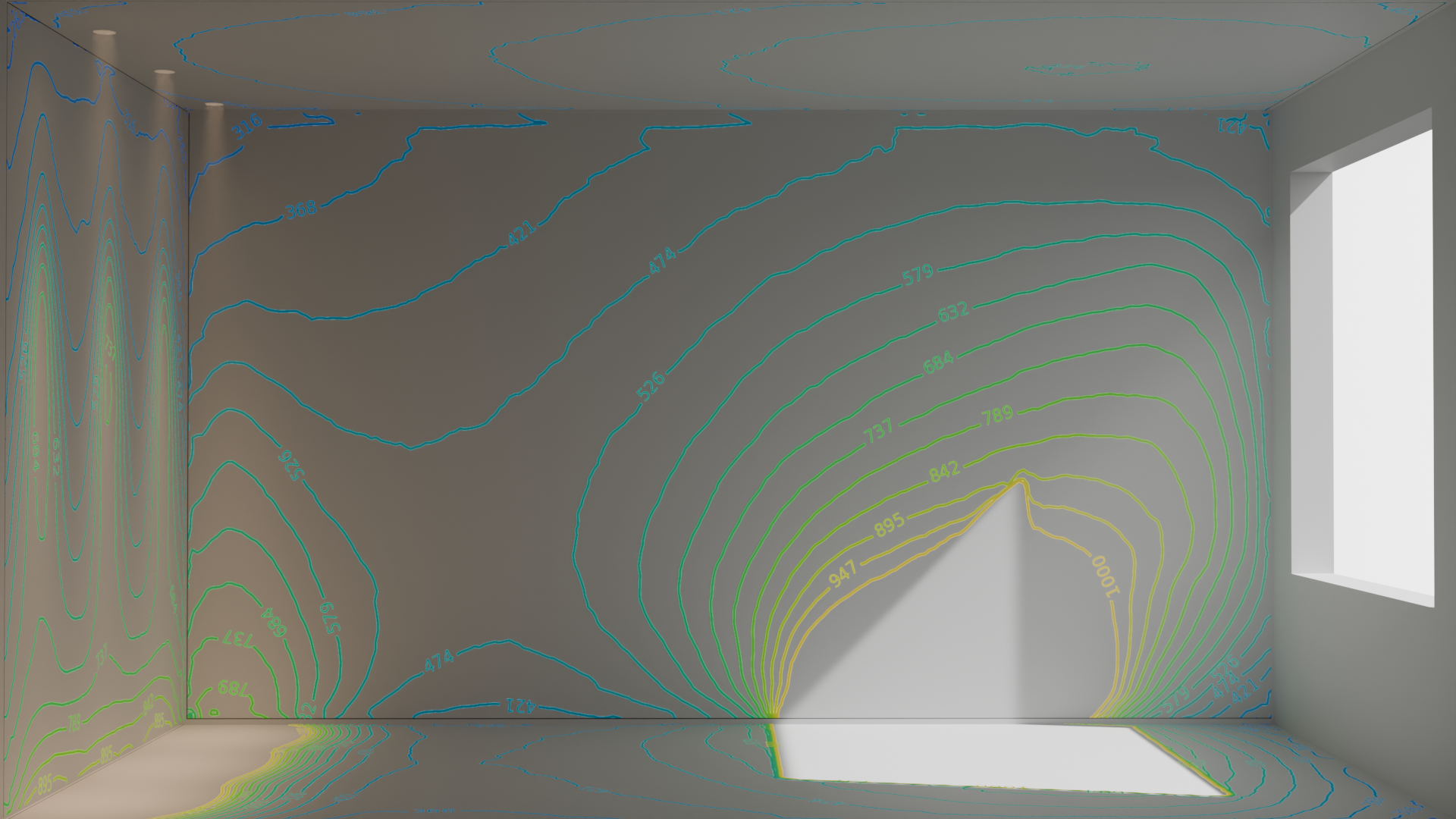
Lumen Pro 2 is a Blender add-on for lighting designers, engineers and visualization pros. It brings real photometric data import, physically accurate lighting scenes and precise illuminance analysis directly into Blender and Cycles — so you can design, verify and document lighting in one workflow.
While many of the projects on this site rely on Blender, Cycles and Python, Lumen Pro 2 was built specifically to close the gap between photometric design tools and the Blender pipeline. Instead of jumping between a lighting calculation tool and your 3D scene, you import the real luminaire data, place your lights and analyze the result in the same viewport.
Lumen Pro 2 for Blender — what it does
At its core, Lumen Pro 2 turns Blender lights into true-to-data photometric lights. That means the light behaves the way the manufacturer’s IES or LDT file says it does — no guessing, no manual falloff tweaks. A polar diagram preview shows you the distribution at a glance, and the same profile data flows into the analysis tools.
The add-on covers the full lighting workflow:
- Import real photometric data — IES, LDT and GLDF profiles for the luminaires you actually specify.
- Convert existing Blender lights — turn any light in your scene into a photometric light while keeping its position and name.
- True-to-data Cycles lights — the distribution, intensity and geometry match the imported profile.
- Polar diagram preview — inspect the luminous intensity distribution directly in Blender.
Photometric lights with Lumen Pro 2
Lumen Pro 2 makes photometric lighting setup fast and repeatable. Import a manufacturer profile, add a light, and Blender’s Cycles engine emits exactly according to the candela distribution. Scale the light object to change the luminous size, move and rotate it like any Blender light — the IES mesh gizmo updates live while you work.
For teams working on luminaires, lamps or architectural lighting, this removes the most common source of error in a lighting design: manually approximated intensity and distribution values. Because the profile stays attached to the light, the same design can be re-verified, revised and rendered repeatedly without re-entering data.
Analysis and CIE 171 validation
Simulation is only as useful as its accuracy. Lumen Pro 2 ships with CIE 171 validation so you can check daylight and electric-light calculations against the industry standard test cases. Illuminance analysis tools let you verify that a design meets its targets before you render the final images — whether you’re looking at daylight factors, illuminance levels or the results of the built-in weather and CIE sky tools.
The validation capability is especially relevant for daylight calculations, where small differences in sky model or geometry handling can lead to very different numbers. Lumen Pro 2 keeps those results checkable, so engineers and architects can point to a standardized reference instead of relying on intuition or ad-hoc render checks.
The same validated data also feeds into reports and handover documents. Because the numbers come from standardized photometric profiles and standardized test cases, clients and reviewers can trust the result — and you can reproduce any figure in a later revision without starting the scene over. For daylight-driven projects this traceability alone often saves the final round of rework.
Getting started with Lumen Pro 2
Lumen Pro 2 runs on Blender 5.1 and newer, including the 5.2 LTS release. The add-on is installed as a standard Blender extension from the Lumen Pro extension repository, and the license is validated online during Blender startup.
- Website and purchase — https://lumenpro.eu
- User manual — Lumen Pro 2 — manual
- Community — Discord
You can get Lumen Pro 2 at lumenpro.eu and bring photometric analysis into your Blender workflow today.